Stream Deck · macOS
Codex Control
Six configurable actions for your Codex workflow.
Version 1.5.3 is awaiting Elgato Marketplace review. Public availability is pending approval.
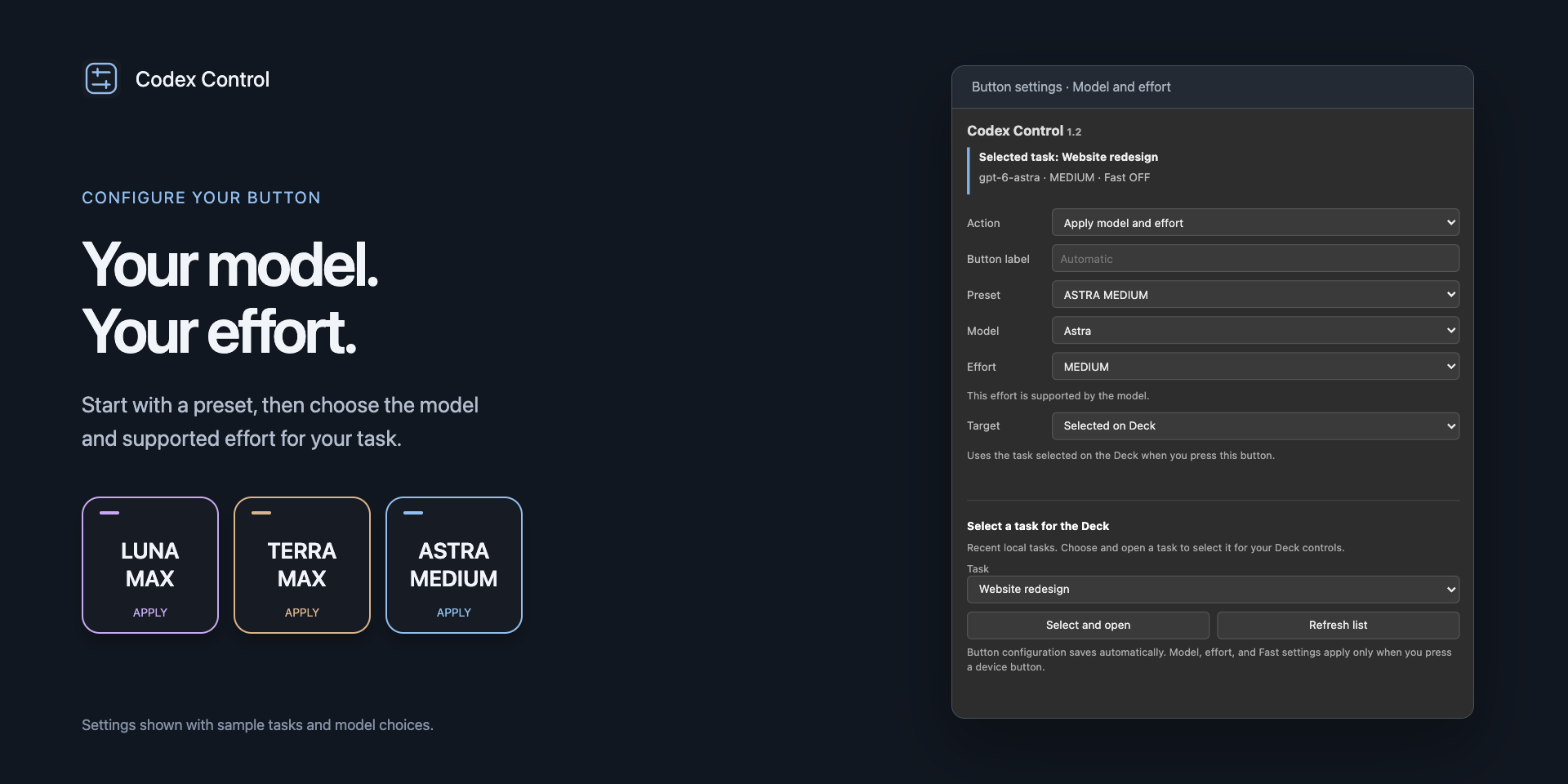
Make each key your own
- Apply model and effort together with Preset, or change either independently with Model and Effort.
- Follow the current Codex task window, including reachable remote tasks.
- Set Fast mode to toggle, always on, or always off.
- Select and open a recent local task, or bind a button to one task.
- Show the current model or effort, and refresh task settings.
Before you start
Requires macOS 13 or later, Stream Deck 7.1 or later, and a running, signed-in Codex Desktop app with its bundled CLI. Available models, effort levels, and Fast support depend on your account. Windows and dial controls are not supported.
Install and configure
- When you receive the preview installer, double-click the
.streamDeckPluginfile to install or update. - In Stream Deck, drag Preset, Model, Effort, Fast Mode, Task, or Status onto a key.
- Choose an action and configure its model, effort, Fast behavior, or target.
- For Current window, enable Stream Deck in macOS Privacy & Security → Accessibility and bring your Codex task to the front. Alternatively, choose Selected on Deck or a fixed local task.
- Press the physical device button to apply the configured action.
Button configuration saves automatically. Model, effort, and Fast changes apply to the next turn; an existing response continues with its current settings. The plugin does not submit prompts.
Oddfin uses the identifier com.oddfin.codex-control. Keys from earlier publisher identifiers must be added again.
Current window mode briefly uses the clipboard for the task link and restores supported prior contents when no intervening clipboard change is detected. Clipboard history apps may retain the link. See the privacy details.
Preview compatibility
This independent integration uses Codex Desktop’s local IPC interface. App updates may affect compatibility. A task must be open and reachable for settings to apply. Physical controls across all inactive tasks have not been comprehensively verified.
Codex Control is not an official OpenAI or Elgato product.
Setup help and support →